
Test & Measurement Blog · 13 Sep 2026
Resolution of a Multimeter: Digits, Counts and Accuracy

The resolution of a multimeter is the smallest change its display can show, set by the number of digits or counts. It is not the same as accuracy. A 6,000-count meter on its 6.000 V range shows steps of 1 mV, but its accuracy may still be ±(0.5 % + 3 counts), so the last digits can be wrong. Choose resolution to see the changes you care about, and check the accuracy specification to know how far to trust them. Fluke makes the same distinction in its guide to multimeter accuracy and precision.
What do digits and counts mean?
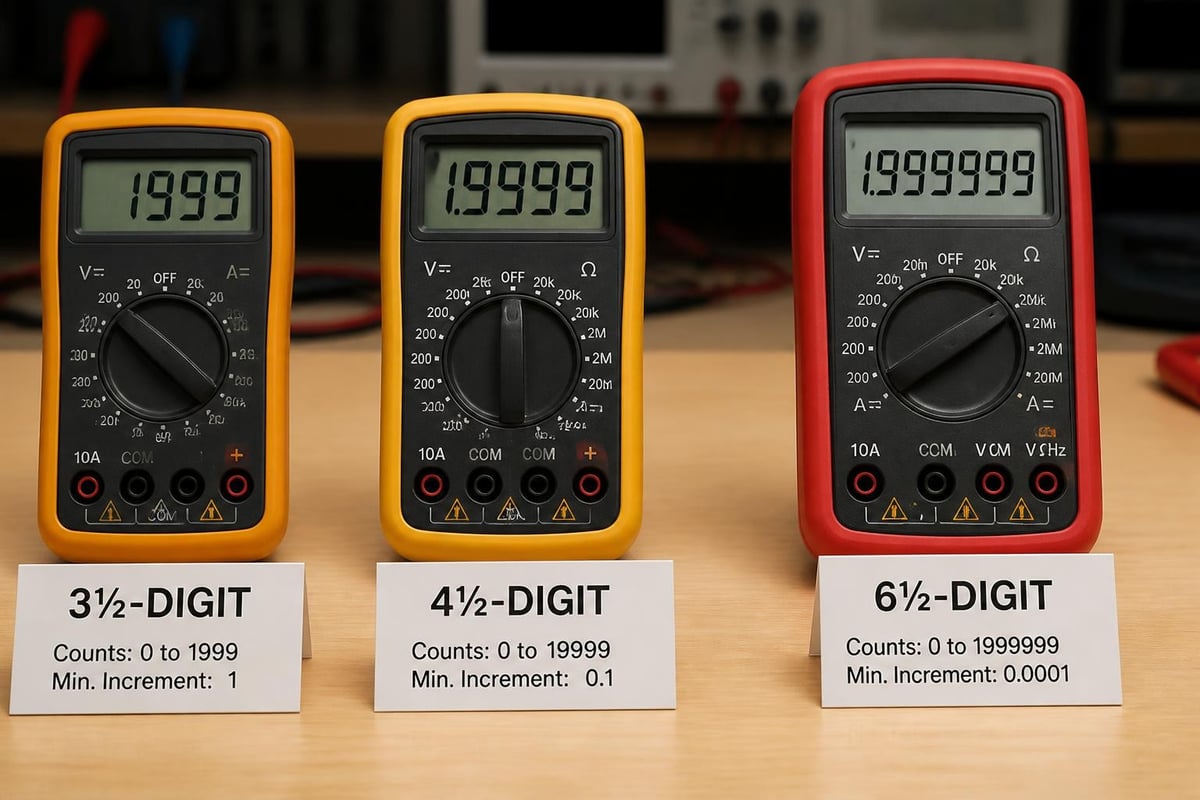
A “half digit” is a leading digit that can only be 0 or 1. Counts are the highest number the display can reach on a range.
| Rating | Maximum display | Step on a range that reads up to about 6 V |
|---|---|---|
| 3½ digit | 1,999 counts | 1.999 V full scale, step 1 mV |
| Enhanced 3½ digit | 3,200, 4,000 or 6,000 counts depending on the model (a 6,000-count meter reads up to 5,999) | 5.999 V on a 6.000 V range, step 1 mV |
| 4½ digit | 19,999 counts in older Fluke notes; newer models list 20,000 to 50,000 counts | Step 0.1 mV on a 2 V range |
| 6½ digit | Keysight Truevolt 34460A/61A/65A | Steps shrink to microvolts on the low ranges |
The count definitions follow Fluke’s application notes, as summarised on its accuracy, resolution and counts page. Fluke notes that a 1,999-count meter cannot show tenths of a volt once the reading reaches 200 V, which is the practical limit of low counts.
How are resolution and accuracy different?
Accuracy is written as ±(% of reading + counts). The counts term is the least significant digits, so it depends on resolution. Two worked examples:
- Fluke’s example: an accuracy of ±(2 % + 2) at a reading of 100.0 V gives ±(2.0 V + 0.2 V) = ±2.2 V, so the true value lies between 97.8 V and 102.2 V.
- A 4,000-count meter at ±(0.5 % + 3), reading 3.500 V on its 4.000 V range (step 0.001 V): 0.5 % x 3.500 = 0.0175 V, plus 3 counts = 0.003 V, total ±0.0205 V. The true value lies between 3.4795 V and 3.5205 V.
More counts means finer steps and a smaller counts term, but only a better specification (or calibration) means a better result. A cheap meter with many counts can have a poor percent-of-reading term.
Why should you pick the lowest range that holds the signal?
The counts term is in units of the range’s step, so a higher range inflates it. Measuring the same 3.500 V on the 40.00 V range of the 4,000-count meter above (step 0.01 V): 0.5 % x 3.500 = 0.0175 V plus 3 counts = 0.03 V, total ±0.0475 V, more than twice the ±0.0205 V from the 4.000 V range. With an auto-ranging meter, avoid situations where the reading sits at the bottom of a range.
How does integration time change the digits you get?
High-resolution bench meters trade speed for resolution. The performance table in Keysight’s Truevolt data sheet shows it for the 34461A (DC voltage, current, resistance, 60 Hz line):
| Integration time | Digits | Readings per second | Added noise error |
|---|---|---|---|
| 100 PLC (1.67 s) | 6½ | 0.6 | 0 % of range |
| 10 PLC (167 ms) | 6½ | 6 | 0 % of range |
| 1 PLC (16.7 ms) | 5½ | 60 | 0.001 % of range |
| 0.2 PLC (3 ms) | 5½ | 300 | 0.001 % of range |
| 0.02 PLC (300 µs) | 4½ | 1,000 | 0.01 % of range |
Resolution is therefore a setting as well as a hardware limit. The same sheet says its normal mode noise rejection is 60 dB at 1 PLC or longer and 0 dB below 1 PLC, so shortening the integration time to gain speed also gives up power-line noise rejection. For calibration, use 10 or 100 PLC, as the Keysight accuracy specifications assume.
What limits the useful resolution in practice?
- Noise: if the last digit flickers, the signal or the input noise is larger than one count. Use a longer integration time or average the readings.
- Settling and thermal EMF: Keysight notes that source impedance, cable dielectric absorption and thermal EMF in connections affect settling, and recommends PTFE or other high-impedance, low-dielectric wire insulation for sensitive measurements, with copper connectors and wires to keep thermal EMF low.
- Warm-up and temperature: Keysight specifies a 60-minute warm-up and a temperature window. Outside it, the temperature coefficient adds error and the extra digits mean little.
- Self-heating: high power signals can heat the input circuitry, and Keysight says the added error generally dissipates within a few minutes.
How does resolution enter an uncertainty budget?
The display step adds a rectangular uncertainty of half a step either side. For a 1 mV step the half-width is 0.5 mV, and the standard uncertainty is 0.5 / √3 = 0.29 mV. Combine this with the other terms by root sum of squares. It is usually small in a good meter, but it dominates for a low-count meter on a high range. The calibration guidance for digital multimeters is in EURAMET Calibration Guide No. 15. Read our Keysight multimeter guide for a worked accuracy example, and our Fluke 754 guide for process calibrators.
Which resolution do you need?
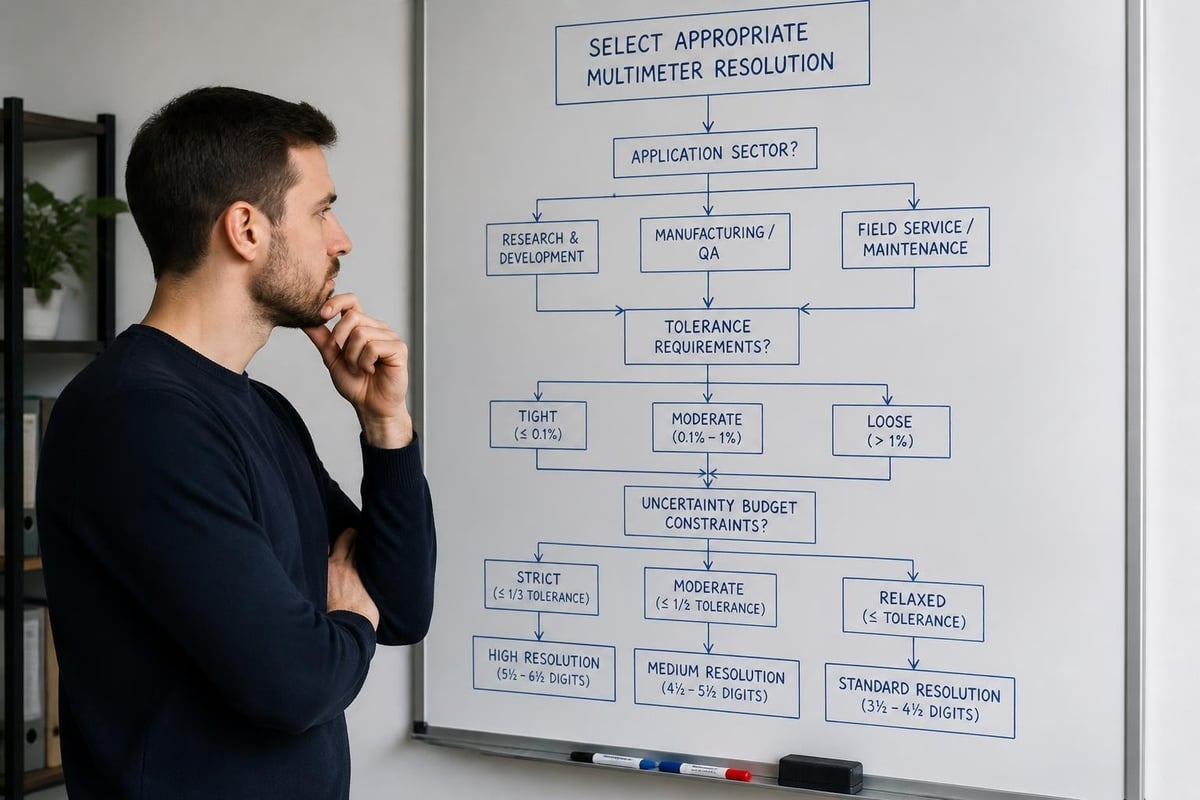
| Job | Sensible resolution | Why |
|---|---|---|
| Electrical fault finding and installation work | 3½ to 4½ digit (about 6,000 counts), true RMS, correct safety category | Safety rating and range matter more than extra digits |
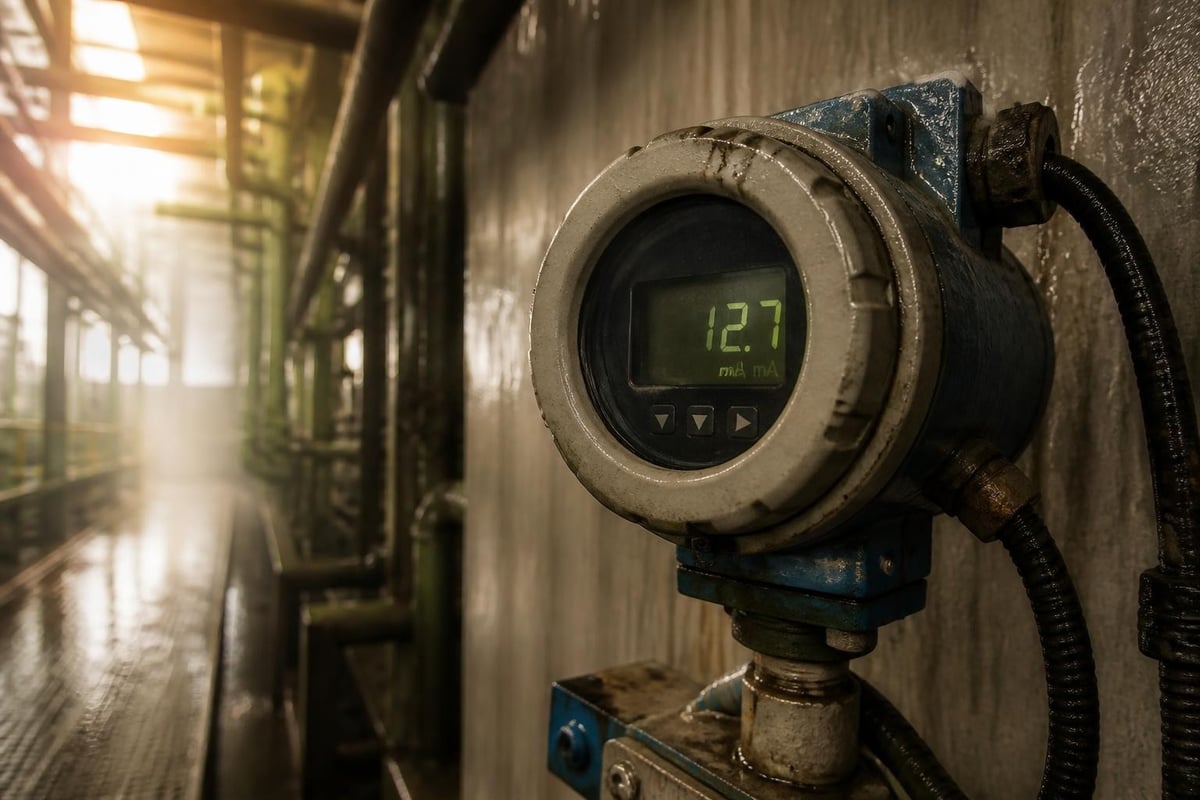
| Loop and transmitter checks | 0.001 mA resolution on the mA range | 1 µA steps match the accuracy of loop work. See the Fluke process meter guide |
| Calibration lab, reference checks | 6½ digit or better, with a calibration certificate | Resolution should be well below the tolerance you verify |
| Pressure and temperature indicators | Display step about one tenth of the tolerance or less | See digital pressure gauges for the same logic |
A useful rule is that the display step should be no more than about one tenth of the tolerance you are checking, and that the accuracy specification, not the digit count, sets the actual uncertainty. Browse multimeters to compare models. Sales terms are on the returns and warranty policy page.
See the full range of test instruments at IndoMultiMeter. Orders ship worldwide.
Frequently asked questions
What is the resolution of a multimeter?
It is the smallest change the display can show. A 6,000-count meter on a 6.000 V range steps in 1 mV, and a 1,999-count meter on a 2.000 V range steps in 1 mV as well. Resolution depends on the range selected.
Does higher resolution mean higher accuracy?
No. Accuracy is a separate specification written as ±(% of reading + counts). A meter with more digits can show finer steps and still have a large percent-of-reading error.
What does 3½ digit mean?
The display has three full digits and a leading half digit that is 0 or 1, so it counts up to 1,999. Enhanced versions go to 3,200, 4,000 or 6,000 counts.
Why does my meter show more digits on bench models when I wait longer?
Bench meters use longer integration times to reduce noise. On the Keysight 34461A, 10 PLC gives 6½ digits at 6 readings per second, while 0.02 PLC gives 4½ digits at 1,000 readings per second.
How do I include resolution in an uncertainty budget?
Take half the display step as the limit of a rectangular distribution and divide by the square root of 3. For a 1 mV step that is 0.5 mV / √3 = 0.29 mV, combined by root sum of squares with the other terms.